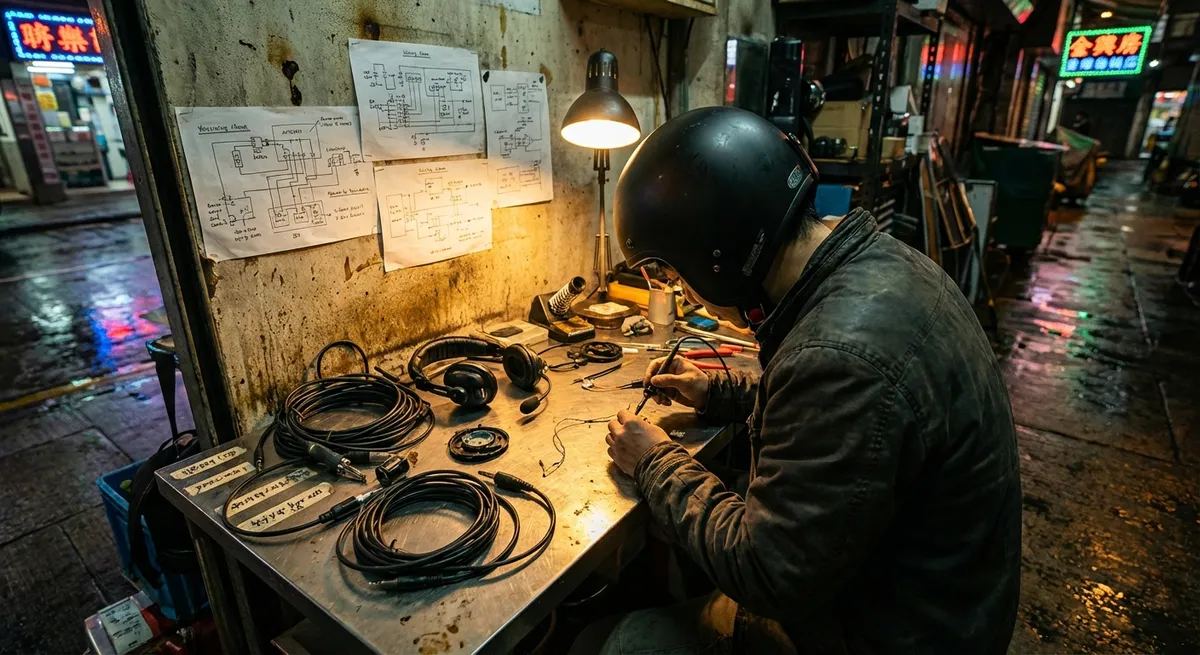
Modern motorcycle gear isn’t just fabric and foam anymore—it’s an integrated system of materials science, RF behavior, acoustics, and impact engineering. Nowhere is that more obvious than in the way we’re strapping communication systems, cameras, and audio into (and onto) our helmets. Do it right, and your helmet becomes a low-drag data hub. Do it wrong, and you quietly wreck its aerodynamics, acoustics, and even crash performance.
This isn’t a shopping list. It’s a technical blueprint for how to think about a comms-ready helmet as a system—and how to spec and set up your gear like an engineer, not a catalog browser.
Understanding Helmet Shell Architecture Before You Add Hardware
Before you bolt anything onto a helmet, you need to understand what you’re modifying. Helmet shells and liners are not generic, and small placement changes for comm units or cameras can have real consequences.
Most modern street helmets use one of three main shell philosophies:
- ABS/polycarbonate shells: Tough and slightly more flexible. They deform to absorb energy, with EPS (expanded polystyrene) doing the heavy crush work. They’re relatively insensitive to small surface hardware as long as you don’t drill or deeply score them.
- Fiberglass composite shells: Layered fibers and resin with higher stiffness and strong energy distribution across the shell. Localized loads—like a rigid camera mount—can interfere with how the shell spreads impact energy.
- Carbon or carbon/kevlar layups: Extremely stiff and light, but more directional in how they distribute force. Surface-mounted accessories can create stress risers where force concentrates instead of dissipates.
From a technical standpoint, any hard accessory changes:
- Local stiffness – A mounted camera or bulky comms unit can form a hard point where, under impact, energy transfers differently into the EPS.
- Shell load paths – Helmets are designed to flex and distribute load over as much area as possible. A rigid mount can short-circuit that distribution.
- Rotational dynamics – Extra mass away from the centerline increases rotational inertia. In real terms: more twisting forces on your neck and brain in an oblique crash.
Actionable setup guidance:
- Use manufacturer-approved mounting zones when available; many premium helmets now define “safe” areas for external mounts.
- Prefer adhesive, low-profile mounts over clamp-style mounts that compress the shell at the lower edge, where EPS and shell interaction is critical.
- Avoid mounting large, rigid accessories at the forehead or crown—these are high-likelihood impact zones in many crashes.
- If you’re running a chin-mount camera, use articulated, breakaway-style hardware that can shear or fold under high load rather than acting like a lever arm.
Aerodynamics, Noise, and Why Shape Matters More Than “Quiet Ratings”
Aerodynamic behavior isn’t just about drag numbers from a wind tunnel; it directly drives your sound pressure level inside the helmet and how well your comms actually work at speed.
As air flows over the helmet, you’re dealing with:
- Laminar vs turbulent flow: A smooth shell with clean transitions promotes laminar flow; anything that sticks out—mounts, antennas, tall GoPro stacks—triggers turbulence.
- Vortex shedding: Hard edges create alternating vortices that translate into pressure fluctuations on the shell—what you hear as buffeting and low-frequency “booming.”
- Boundary layer separation: Once the airflow detaches from the shell, the wake behind it is chaotic, loud, and draggy.
Every comms unit or camera you add becomes an aerodynamic device whether you intend it or not.
Technical implications:
- Noise floor for comms: Turbulent flow around the chin bar and side pods increases low- and mid-frequency noise, forcing your intercom to pump more gain—which increases distortion and fatigue.
- Microphone performance: Helmets that keep the boundary layer attached longer create a more stable pressure field inside. That means less “pumping” of air across the mic and better voice clarity.
- Neck fatigue and stability: A badly placed camera can act like a small sail, adding yaw and pitch inputs at highway speeds—amplified during head checks or in crosswinds.
Actionable aero setup:
- Choose comms units with integrated, tapered profiles that follow the shell curve rather than boxy designs that stick out into the airstream.
- Keep cameras as close to the shell as possible and aligned with the bike’s direction of travel; avoid tall multi-link “selfie stick” stacks.
- If your helmet includes detachable aero spoilers, test comms and cameras with and without them—sometimes removing a spoiler reduces turbulence when adding side hardware.
- Use a short chin curtain and proper visor seal; this is a massive gain in reducing internal turbulence and improving comms audio.
Acoustic Engineering: Tuning Speakers and Mics Like a Helmet Audio Lab
Most riders treat helmet speakers as “install and forget.” That’s a waste. A helmet is an acoustic cavity with resonances in the mid-range, reflection paths from the visor, and heavy attenuation of high frequencies. Treat it like a listening room with rigid constraints.
Speaker placement and coupling
Helmets don’t block bass as aggressively as mid/high frequencies, so your intelligibility lives mostly in the 1–4 kHz range—exactly where human speech clarity sits.
Key concepts:
- On-axis vs off-axis: Many helmet speakers have a directional pattern. If the cone is not aligned perpendicular to your ear canal, you lose high-frequency detail.
- Acoustic coupling distance: The closer the speaker is to your ear—without touching—the better your perceived volume at lower power. A 3–5 mm gap is usually ideal.
- Reflective surfaces: Shell, EPS, and cheek pads all reflect and absorb differently. A flat, hard shell behind the speaker can amplify specific frequencies in a way that either helps clarity or creates harshness.
Setup checklist:
- Use helmet-specific speaker recesses if available—they’re placed near where most riders’ ear canals line up.
- If your ears sit “deep” in the helmet, add thin foam spacers behind the speakers to bring them closer; test with and without to find the best clarity.
- Verify alignment by playing pink noise or spoken word audio and slightly shifting speaker position; lock in where speech sounds sharpest at the lowest volume.
- Use earplugs designed for motorcyclists (attenuating mainly high dB peaks) and then bump intercom volume a bit—this often yields clearer, less fatiguing audio than running speakers at max in a noisy helmet.
Microphone strategy: boom vs wired, and wind rejection
Comms mics are battling three enemies: wind noise, low-frequency pressure pulses, and your own breathing.
Technical pointers:
- Cardioid / directional mics reject sound from the sides and rear more effectively—ideal in open-face or modular helmets.
- Foam windscreens handle high-frequency hiss but do little against low-frequency buffeting; a double-layer foam + fabric sock is significantly better.
- Mount the mic so it’s 2–5 mm from your lips, just off-axis—not directly in front of the airflow from your nose or mouth.
For full-face helmets, a wired mic at the chin bar with a solid physical mount and advanced DSP (noise-gating, echo cancellation) often beats a floppy boom mic floating in the airflow, especially at speed.
Electrical Integration: Power, Weatherproofing, and EMI in the Real World
Once you start running comms, cameras, and maybe even a HUD or brake light sensor, you’ve effectively built a miniature electrical ecosystem on your head. The failure mode isn’t just “dead battery,” but compromised waterproofing or interference.
Battery and thermal considerations
- Lithium cells in comms and action cams have a preferred operating temperature range (often around -10 °C to +50 °C). Cold significantly reduces capacity; heat accelerates degradation.
- Running multiple devices in hot weather under dark shells can drive local temperatures up—noticeable on longer rides.
Practical setup:
- For long touring days, consider one high-capacity device hardwired to the bike (like a camera) and a lightweight, helmet-mounted battery for comms only, to keep mass down and center-of-gravity close to the shell.
- Avoid stuffing extra power banks inside the helmet; it adds mass and can create hard internal surfaces against your skull in a crash.
Weatherproofing and connectors
IP ratings (e.g., IP65, IP67) matter:
- IP65: Protected against low-pressure water jets—fine for normal rain on the helmet’s side.
- IP67: Submersion capable—overkill for most helmets but excellent for reliability.
Technical best practices:
- Route any auxiliary cables (camera battery tethers, audio leads) using strain-relief loops so a snag pulls on the loop, not directly on the connector.
- Use dielectric grease sparingly on exposed connectors to resist moisture and corrosion, especially in humid or coastal environments.
- If you ride in persistent heavy rain, prioritize devices with fully sealed, flap-free designs instead of rubber port covers that can loosen over time.
RF interference and pairing reliability
Multiple RF devices near your head (Bluetooth comms, GPS, phone, sometimes tire-pressure sensors or bike telematics) can step on each other if poorly positioned.
- Keep phone and comm on opposite sides of the bike (e.g., phone in left jacket pocket, helmet comm on right side) to reduce RF shadowing from your body.
- If your camera uses Wi-Fi for preview/control, disable Wi-Fi after setup; it can interfere with some Bluetooth intercoms at certain bands.
- Firmware updates matter: RF performance is often improved with better channel-hopping and power management algorithms. Keep your comm and camera firmware current.
Safety-First Integration: Minimizing Mass, Snag Points, and Failure Modes
You’re not just optimizing for communication—you’re designing for worst-case scenarios where your gear should fail gracefully, not become a hazard.
Mass distribution and rotational inertia
Rotational acceleration is what the most advanced helmet test standards increasingly care about. Adding devices to the helmet changes how forces act on your head in an angled impact.
- Extra mass high on the helmet (crown mounts) or far forward (long chin-mounted cameras) amplifies rotational moment arms.
- In a slide, a bulky side unit can catch and twist the helmet relative to your head.
Better design choices:
- Prefer low, central, close-to-shell mounting—think “hugging the helmet” rather than sticking out from it.
- If you must run a large camera, consider mounting it on the chest or fairing, not the helmet, and use the helmet only for audio/comms.
Breakaway philosophy for accessories
In an ideal crash, helmet-mounted gear should:
- Shear off or disintegrate under impact load.
- Not expose sharp edges that can cut or gouge.
- Not leave rigid stubs stuck to the shell acting as leverage points.
What to look for:
- Mount systems that use adhesive pads designed to fail under high shear, rather than steel clamps gripping the shell edge.
- Camera brackets that rely on sacrificial plastic links that snap before the shell structure is significantly loaded.
Visor and field-of-view integrity
Comms and camera placement must never compromise peripheral vision or visor operation:
- If a side unit interferes with visor movement, you’re creating a daily-use failure mode that riders will “work around”—often unsafely.
- Anything mounted near the brow should sit outside the main visual envelope; test lateral and upward glances with and without tinted or pinlock inserts installed.
Verify:
- Full visor travel with gloves on.
- No obstruction in quick head checks at highway speed.
- No contact between internal sun visors and mic booms or internal wiring.
Conclusion
A modern helmet isn’t just a passive safety shell—it’s becoming the rider’s primary interface with information, audio, and documentation. But the moment you start layering in comms, cameras, and electronics, you’re not just accessorizing. You’re altering aerodynamics, acoustics, impact behavior, and electrical ecosystems in a very small, very critical volume around your head.
Think like an engineer: understand the shell architecture before mounting anything, respect airflow and acoustic behavior, integrate electronics with attention to power and RF interaction, and always bias your decisions toward reduced mass, fewer snag points, and predictable failure modes. Do that, and your “tech helmet” won’t just be smarter—it will be quieter, clearer, and safer at real-world speeds on real-world roads.
Sources
- Snell Memorial Foundation – Helmet Standards and Testing - Technical background on helmet construction, impact testing, and performance criteria
- SHARP – Helmet Safety Scheme (UK Government) - Government-backed information on helmet safety, design, and testing methodology
- NHTSA Motorcycle Helmet Use and Head/Facial Injury Studies - Research and statistics on helmet effectiveness and crash dynamics
- Shoei Official Tech Information - Detailed explanations of shell materials, aerodynamics, noise control, and ventilation in premium helmets
- Sena Technologies – Device Support and Technical Specs - Real-world examples of Bluetooth comms hardware, IP ratings, firmware, and integration guidance
Key Takeaway
The most important thing to remember from this article is that this information can change how you think about Gear & Equipment.